The way we design digital products is changing.
Not long ago, becoming a UI/UX designer meant learning design tools, understanding visual principles, building a portfolio, and applying for jobs. If you could create clean interfaces and demonstrate a good understanding of user experience, you had a foundation to build your career.
Today, the landscape feels different.
AI tools can generate interface concepts in seconds. Developers can build functional prototypes faster than ever. Design systems help teams create consistent interfaces at scale. Companies are looking for designers who understand not only how a product looks, but also why it should exist and how it creates value.
Meanwhile, designers are competing for opportunities in an industry where expectations continue to evolve.
Does this mean UI/UX design is dying?
Not necessarily.
But the skills that make a designer valuable are changing, and relying on yesterday’s approach may not be enough for tomorrow’s challenges.
Let’s explore seven changes shaping the industry and what they mean for designers who want to build sustainable careers.
1. Creating UI Is Becoming Easier. Making Good Decisions Is Not.
For years, a significant part of a designer’s work involved turning ideas into visual interfaces.
You would create wireframes, refine layouts, select typography, adjust spacing, build components, and polish the final screens.
These skills still matter. However, AI-powered tools can now assist with many of these activities, from generating initial layouts to exploring alternative visual directions.
That changes the question companies may ask when evaluating a designer.
Instead of asking only, “Can you design this screen?” they may also ask:
- Do you understand the problem we’re trying to solve?
- Can you identify the right solution among several possibilities?
- Can you explain why your design is appropriate?
- Can you recognize when an attractive interface creates a poor experience?
Imagine a company needs a dashboard for managing customer information.
An AI tool can generate a dashboard with charts, tables, filters, and summary cards. But a usable dashboard requires more than arranging components.
Someone must decide which information deserves attention, what users need to do most frequently, which actions require confirmation, and how the experience should behave when data is missing or incorrect.
These decisions require context and judgment.
The opportunity for designers is to spend less time on repetitive production where automation helps and more time understanding problems, evaluating alternatives, and improving the overall experience.
What to do: When working on your next project, document the problem and the reasoning behind your decisions — not just the screens you created.
2. Knowing a Design Tool Is No Longer Enough
Learning a design tool is an important step in becoming a UI/UX designer.
But knowing every shortcut, plugin, and feature doesn’t automatically make someone a strong designer.
Tools change. New features appear. AI introduces new ways to generate and modify designs.
The underlying principles of good design remain important: clarity, consistency, usability, accessibility, and a strong understanding of user needs.
Think about it this way.
Two designers might use exactly the same software. One creates a beautiful interface that confuses users. The other creates a simpler interface that helps users complete their tasks with less friction.
The difference isn’t necessarily the tool.
It’s how each designer understands the problem and applies design principles.
This is why it’s worth developing skills that transfer between tools:
- Visual hierarchy and layout
- Typography and readability
- Information architecture
- Interaction design
- Usability evaluation
- Accessibility fundamentals
- Design systems and reusable components
- Critical thinking and problem-solving
You should still learn modern tools, including AI-assisted workflows. Just don’t confuse tool proficiency with design expertise.
What to do: Choose one design project and evaluate it without focusing on its visual appearance first. Ask whether the structure, flow, and interactions actually help users accomplish their goals.
3. AI Is Becoming Part of the Design Workflow
AI is no longer just a topic for technology enthusiasts. It is becoming part of how many designers explore ideas, create prototypes, generate content, and handle repetitive work.
Depending on the tool and task, AI can help with:
- Generating initial wireframe ideas
- Exploring different layouts
- Drafting interface copy
- Summarizing research materials
- Creating rough prototypes
- Exploring alternative user flows
- Producing code for interface experiments
- Identifying potential usability concerns
These capabilities can reduce the time needed to explore certain ideas.
But there is an important distinction between generating a solution and knowing whether it is a good solution.
An AI-generated interface might look polished while ignoring accessibility, using confusing labels, or making assumptions about users that aren’t supported by evidence.
Designers still need to review the output, test important assumptions, and make appropriate decisions.
There’s also a risk in using AI so heavily that you stop developing your own judgment. If you accept every generated suggestion without questioning it, you may become faster at producing work without becoming better at evaluating it.
The strongest approach is to use AI as an assistant rather than treating it as the final authority.
What to do: Experiment with one AI-supported task in your workflow. Compare its output with your own approach, identify what it gets right and wrong, and decide whether it genuinely improves the result.
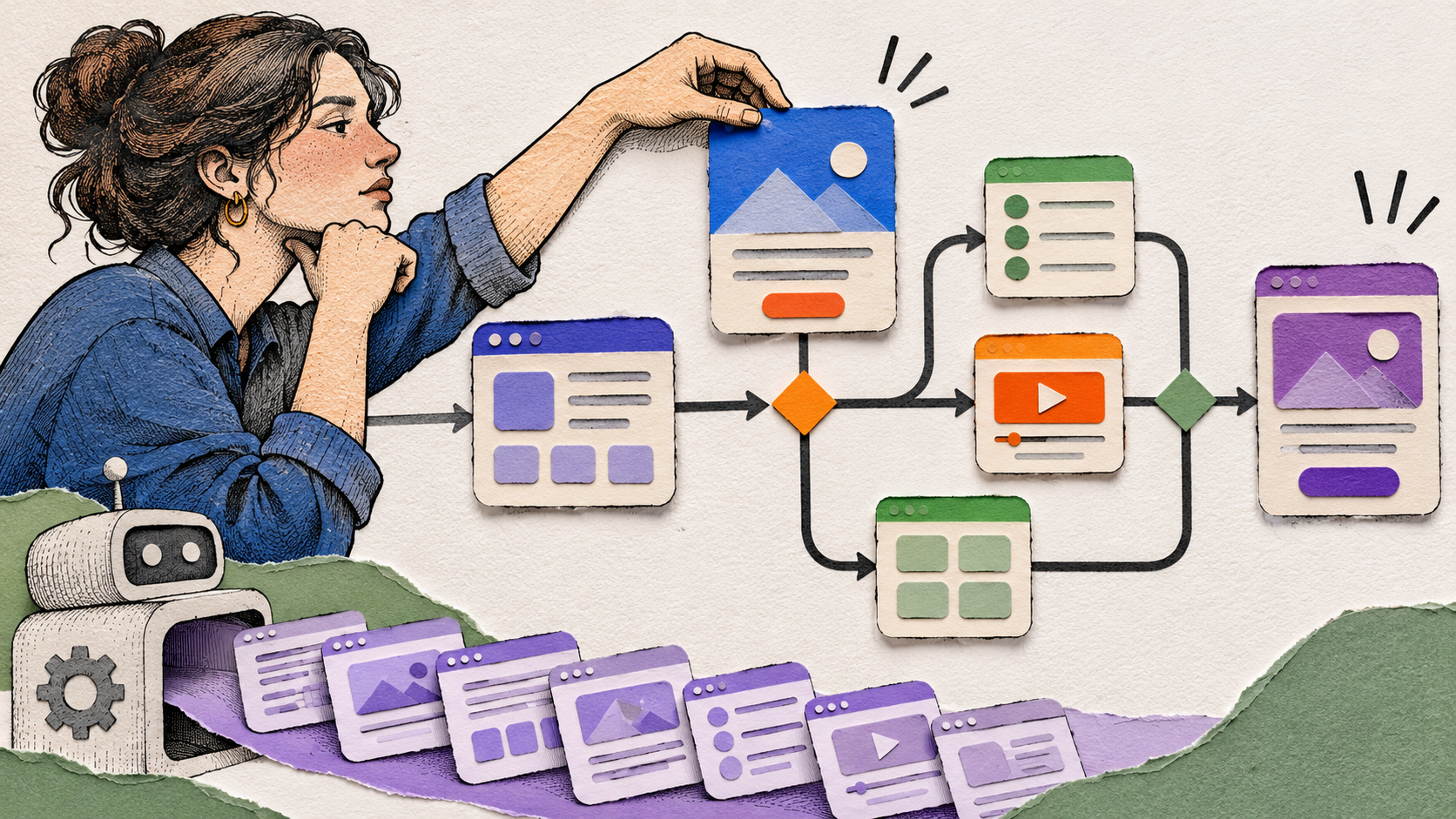
Explore layouts, interface copy and rough prototypes.
Review assumptions, accessibility and usability.
Use context and evidence to choose an appropriate solution.
4. UX Thinking Is Becoming More Important Than Screen Production Alone
A product can have beautiful screens and still fail its users.
A signup process might look modern but ask for unnecessary information. A shopping application might have excellent product cards but make checkout confusing. A financial dashboard might look impressive but hide the information users need to make decisions.
These problems cannot be solved by visual polish alone.
They require an understanding of user behavior, context, expectations, and limitations.
That is where UX thinking becomes essential.
Designers should develop the ability to:
- Understand user goals and pain points
- Identify friction in existing experiences
- Organize complex information
- Evaluate competing design options
- Consider accessibility and different user needs
- Design for errors and unexpected situations
- Gather feedback and improve solutions
You don’t need to conduct a large research study for every project. Sometimes, a heuristic evaluation, a careful review of support issues, or a small usability test can reveal valuable opportunities. The appropriate method depends on the problem, available evidence, and project constraints.
What matters is learning to distinguish between what you know, what you assume, and what still needs to be validated.
What to do: For every portfolio project, explain at least one usability problem you identified, why it matters, and how your proposed solution addresses it.
5. Designers Need to Understand the Business Behind the Product
Design doesn’t happen in isolation.
Companies have goals, budgets, technical limitations, deadlines, and competing priorities. Users have needs that don’t always align perfectly with those constraints.
A good designer must understand enough of this context to make thoughtful trade-offs.
For example, imagine you’re designing an onboarding experience for a subscription application.
From a visual perspective, you might want to create a short, elegant flow. But the business may need certain information before a user can access the service. The development team may also have limitations that affect how the flow can be implemented.
The challenge is not simply to make the screens look good.
It’s to find an appropriate solution that balances user needs, business requirements, and technical feasibility.
This doesn’t mean designers should prioritize business goals over users. It means understanding the relationship between them and recognizing that successful products must work in the real world.
Start learning basic product concepts such as:
- Conversion and activation
- User retention
- Customer satisfaction
- Product adoption
- Support costs
- Feature prioritization
- Product constraints and trade-offs
You don’t need to become a business analyst. You need to understand why a product exists and how your design contributes to its success.
What to do: Before starting a project, write down the user problem, the business objective, and the constraints that might influence your solution.
6. The Portfolio Is Changing, Too
For a long time, designers could attract attention with polished screens, attractive mockups, and carefully presented visual concepts.
Visual quality still matters. But as AI makes it easier to generate convincing interfaces, final screenshots alone may reveal less about a designer’s capabilities.
A portfolio needs to communicate more of the thinking behind the work.
Imagine two designers presenting a finance dashboard.
The first shows ten polished screens.
The second shows fewer screens but explains how the information was organized, which user tasks were prioritized, what alternatives were considered, and how the proposed interface addresses specific problems.
The second portfolio gives a recruiter more evidence of the designer’s decision-making.
This doesn’t mean every case study needs to be long or filled with complicated diagrams. It means the work should tell a clear story.
A useful case study includes:
The problem: What were you trying to solve?
The context: Who is the experience for, and what constraints matter?
The process: How did you explore the problem?
The decisions: Why did you choose this direction?
The outcome: What did you deliver, learn, or validate?
If a project is conceptual, be transparent about it. If you didn’t test the design with real users, don’t imply that you did. If you don’t have business metrics, explain the intended benefit rather than inventing results.
A portfolio doesn’t have to prove that you’ve worked with famous brands. It should help others understand how you approach design problems.
What to do: Take one existing project and improve its explanation before starting another new concept.
7. The Definition of a Strong Designer Is Expanding
The traditional boundaries between design, product thinking, and development are becoming less rigid in some teams.
Designers may be expected to understand how interfaces are implemented, collaborate more closely with engineers, contribute to product discussions, or use AI to explore ideas quickly.
This doesn’t mean every UI/UX designer must become a developer, researcher, product manager, and business strategist at the same time.
Trying to master everything is unrealistic.
Instead, develop a strong core skill set and learn enough about adjacent disciplines to collaborate effectively.
For example:
- A UI-focused designer can learn more about interaction design and accessibility.
- A UX designer can improve their understanding of product strategy and business goals.
- A product designer can learn how technical constraints influence design decisions.
- A designer who already has strong fundamentals can explore AI-assisted prototyping.
Your combination of skills can help differentiate you from other designers.
The goal isn’t to collect as many skills as possible. It’s to develop the right combination for the work you want to do.
What to do: Identify one adjacent skill that would make you more effective in your current role or the roles you want to pursue. Set aside time to develop it through a real project.
8. Junior Designers Face a Different Challenge
If you’re just entering the UI/UX industry, you may feel that experienced designers have an advantage and AI makes the competition even harder.
It’s understandable.
You might see AI-generated interfaces that look more polished than your first projects. You might wonder whether companies will still hire junior designers when tools can automate parts of the design process.
The honest answer is that opportunities and expectations will vary between companies, and no one can guarantee how every role will evolve.
However, you can take practical steps to strengthen your position.
First, build your fundamentals instead of relying entirely on generated interfaces.
Second, use AI to explore alternatives and challenge your thinking, not to replace it.
Third, create projects that demonstrate your reasoning. A smaller, well-explained project can reveal more than a large collection of disconnected screens.
Finally, seek feedback and practical experience wherever possible. Volunteer projects, internships, collaborative work, and carefully scoped freelance projects can expose you to real constraints and communication challenges.
Don’t feel that every portfolio project needs to be revolutionary. Focus on showing that you can recognize a problem, develop a reasonable solution, and explain your decisions honestly.
Your goal as a junior designer isn’t to know everything. It’s to demonstrate that you can learn, think critically, and improve.
9. Stop Chasing Every Trend. Start Building Adaptability.
When an industry changes quickly, it’s easy to feel that you’re always behind.
A new AI tool appears, and you feel you need to learn it. A new design method becomes popular, and you worry that your existing workflow is outdated. Someone posts about a new career path, and you wonder whether you should change direction.
Constantly chasing trends can consume the time you need to develop meaningful skills.
Instead, use a more deliberate approach.
Keep your fundamentals strong. Continue practicing visual design, interaction patterns, usability, and accessibility.
Experiment selectively. Explore tools that address a genuine problem in your workflow.
Pay attention to the market. Review job descriptions and identify the skills that repeatedly appear in the roles you want.
Learn through projects. Apply new skills to practical problems instead of collecting tutorials.
Review your progress. Periodically assess what you have improved and what still needs work.
Adaptability doesn’t mean changing your entire professional identity whenever something new appears. It means being able to learn new approaches without losing sight of the principles that make your work useful.
A Simple 30-Day Plan to Adapt to the Changing Industry
You don’t need to rebuild your career overnight. Start with a manageable plan.
Week 1: Review your current skills
Evaluate your strengths in UI design, UX thinking, communication, and product understanding. Choose one area that needs improvement.
Week 2: Experiment with AI
Choose one AI tool and use it for a real design task. Record where it helped, where it struggled, and what you needed to correct.
Week 3: Strengthen your problem-solving
Choose an existing interface and identify three usability issues. Explain the reasoning behind each issue and propose possible improvements.
Week 4: Improve your portfolio
Update one case study to explain the problem, your contribution, your design decisions, and the outcome. Make it clear which findings are supported by evidence and which are assumptions.
At the end of the month, you’ll have a clearer picture of your strengths and a practical starting point for further development.
You don’t need to follow every new trend to make progress. Consistent learning and thoughtful practice can help you respond to change more effectively.
Week 1 · Review your skills
Evaluate UI design, UX thinking, communication and product understanding. Choose one area to improve.
Week 2 · Experiment with AI
Use one AI tool for a real task. Record where it helped, struggled and needed correction.
Week 3 · Practice problem-solving
Identify three usability issues in an existing interface. Explain each issue and propose improvements.
Week 4 · Improve your portfolio
Update one case study with the problem, your contribution, decisions and outcome. Separate evidence from assumptions.
Final Thoughts: The Industry Is Changing, but Your Career Isn’t Predetermined
The UI/UX design industry is evolving. AI is changing workflows, expectations are shifting, and the relationship between design and other disciplines continues to develop.
Ignoring these changes isn’t a good strategy.
But neither is assuming that your career is over because AI can generate a screen in seconds.
The more useful response is to understand what’s changing and adapt deliberately.
Learn to use AI effectively. Strengthen your UX fundamentals. Understand the product and business context. Improve your communication. Build a portfolio that demonstrates your thinking, not just your visual skills.
Most importantly, don’t measure your value only by how quickly you can produce an interface.
A valuable designer helps a team understand the problem, explore appropriate solutions, make informed decisions, and create experiences that work for people.
Tools will continue to change. Your ability to learn, think critically, and solve meaningful problems will help you navigate those changes.
You don’t need to predict the future of UI/UX design perfectly. You need to keep developing the skills that help you adapt to it.
Credit: Heshan.Design